
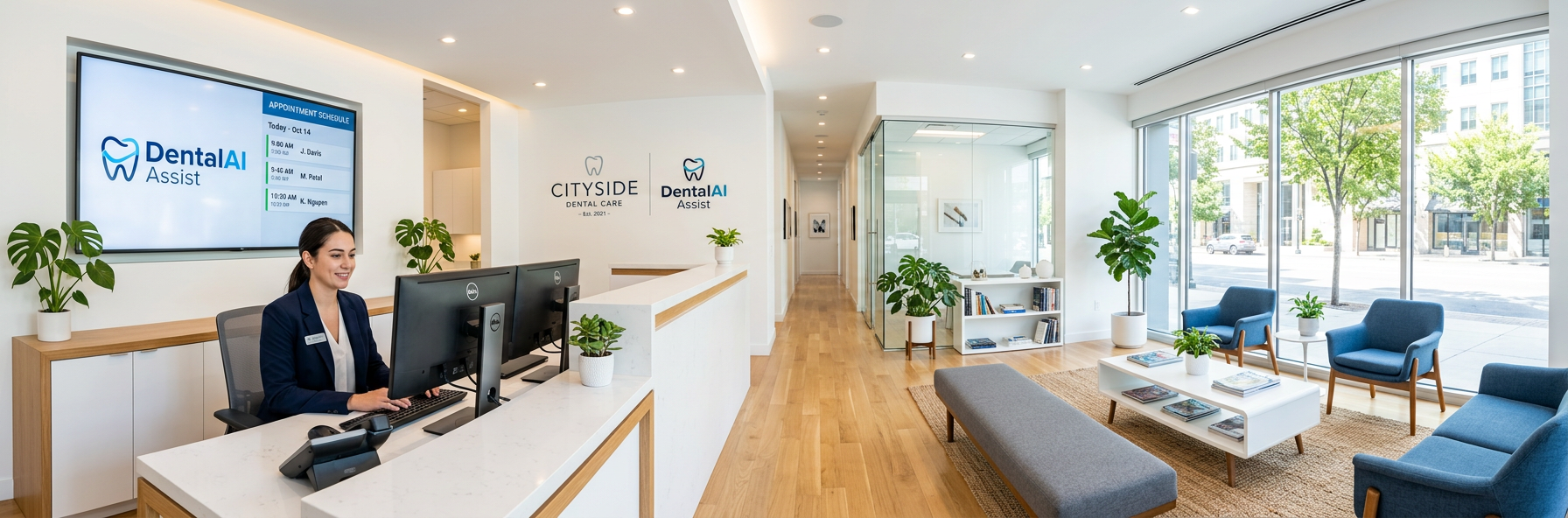
Patient no-shows cost the average dental practice $60,000 to $100,000 in lost revenue annually. Every empty chair represents not just lost production, but wasted staff time, unused supplies, and frustrated team members who prepared for patients who never arrived.
Industry data shows that 10-15% of scheduled dental appointments result in no-shows, with some practices experiencing rates as high as 20-25%. That means one out of every 6-8 appointments on your schedule won’t show up—creating gaps in your day, reducing practice productivity, and devastating your bottom line.
This comprehensive guide reveals proven strategies to reduce your no-show rate by 40% or more, recover $40,000-$70,000 in annual revenue, and maintain a fully productive schedule without overbooking or aggressive collection tactics.
Want to see how automated appointment reminders can cut your no-shows in half? Schedule a 30-minute demo to see how DentalAI Assist sends intelligent, multi-channel reminders that actually get patients to confirm and show up.
Understanding the True Cost of No-Shows
Before implementing solutions, you need to understand exactly how much patient no-shows are costing your practice—and it’s significantly more than the missed production value alone.
The Complete Financial Impact
Direct Production Loss:
At an average production value of $300-400 per appointment, a practice with 15% no-show rate and 80 scheduled appointments weekly loses 12 appointment slots—worth $3,600-4,800 in weekly production, or $187,200-249,600 annually.
Wasted Staff Time:
Your team prepared the operatory, sterilized instruments, pulled the patient chart, and allocated time for that appointment. When the patient doesn’t show, that labor—worth $40-60 per appointment—is completely wasted.
Missed Opportunity Costs:
That empty slot could have been filled by another patient who wanted an appointment but couldn’t get in. You’re not just losing the no-show’s production—you’re losing the opportunity to see a patient who would have shown up.
Schedule Inefficiency:
No-shows create gaps in your schedule, reducing overall practice productivity. Dentists and hygienists end up with downtime, which kills daily production targets and creates workflow disruptions.
Team Morale Impact:
Constant no-shows are demoralizing for staff who take pride in patient care and practice efficiency. High no-show rates contribute to burnout and turnover.
Why Patients Don’t Show Up
Understanding the root causes of no-shows is essential to prevention:
They Forgot (40% of no-shows):
- Appointment scheduled weeks or months in advance
- No effective reminder system
- Busy life and competing priorities
- Didn’t write it down or add to calendar
Schedule Conflicts Arose (25% of no-shows):
- Work obligation changed
- Child’s schedule conflict
- Unexpected emergency or illness
- Didn’t know how to reschedule easily
Anxiety or Fear (15% of no-shows):
- Dental anxiety or phobia
- Fear of cost or surprise bills
- Avoiding bad news about oral health
- Previous negative dental experiences
Financial Concerns (10% of no-shows):
- Uncertainty about insurance coverage
- Can’t afford out-of-pocket costs
- Waiting for insurance to kick in
- Recent unexpected expense
Other Reasons (10% of no-shows):
- Transportation issues
- Feeling better (if scheduled due to pain)
- Found another dentist
- Simply don’t value oral health
Step 1: Implement Multi-Channel Automated Reminders
The single most effective no-show prevention strategy is comprehensive, automated appointment reminders delivered through multiple channels.
The Optimal Reminder Sequence
Research shows that a multi-touchpoint reminder strategy reduces no-shows by 35-45% compared to single reminders:
7 Days Before: Initial Reminder
- Channel: Email + SMS
- Content: Appointment date, time, location. Easy one-click confirmation or reschedule option
- Purpose: Early warning allows patients to identify conflicts
- Conversion: 60-70% of patients confirm at this stage
48 Hours Before: Confirmation Request
- Channel: SMS (preferred) or automated call
- Content: Brief confirmation request with reply options (Yes/No/Reschedule)
- Purpose: Catch patients who forgot or have conflicts
- Conversion: Additional 20-25% confirm
24 Hours Before: Final Reminder
- Channel: SMS
- Content: Final confirmation with practice address, parking instructions, what to bring
- Purpose: Last-chance reminder and practical information
- Conversion: Final 5-10% confirm or reschedule
Morning of Appointment: Day-of Reminder
- Channel: SMS (optional, for chronic no-shows)
- Content: “Looking forward to seeing you at [time] today!”
- Purpose: Prevent same-day no-shows
- Conversion: Reduces day-of no-shows by 15-20%
Channel Effectiveness Rankings
SMS (Text Message): 98% Open Rate
- Read within 3 minutes on average
- Highest engagement and confirmation rates
- Easy one-tap confirmation (reply YES)
- Most cost-effective per reminder sent
- Best for: All reminder touchpoints
Email: 20-30% Open Rate
- Good for initial 7-day reminder
- Allows for detailed information and links
- Professional tone for first contact
- Can include intake forms, directions, FAQs
- Best for: Early reminders with extensive information
Automated Phone Call: 85% Answer Rate
- Works for patients without cell phones
- High engagement but lower efficiency
- Can seem impersonal if poorly executed
- More expensive than SMS
- Best for: Older patient demographics or high-value appointments
App Push Notifications: 40-60% Engagement
- Requires patients to download your app
- Good supplementary channel
- Not reliable as primary reminder method
- Best for: Tech-savvy, engaged patient base
Reminder Content Best Practices
What to Include:
- Patient’s first name (personalization increases engagement 40%)
- Appointment date and time
- Provider name (Dr. Smith, Jennifer the hygienist)
- Practice name and location (if multiple locations)
- Easy confirmation method (reply YES, click link)
- Simple reschedule option with direct link or number
- Friendly, conversational tone
What to Avoid:
- Multiple questions or complex instructions
- Insurance or payment information (save for separate communication)
- Medical jargon or procedure details
- Threatening language about no-show fees
- Long messages that require scrolling
Example SMS Reminder (48 hours before):
“Hi Sarah! Reminder: You have a cleaning with Jennifer on Thursday 4/10 at 2:00 PM at Bright Smiles Dental. Reply YES to confirm or RESCHEDULE if you need to change. See you soon! 😊”
Tired of manually sending reminders and still seeing high no-shows? Book a demo to see how DentalAI Assist sends perfect, personalized reminders automatically through SMS, email, and voice—reducing no-shows by 40% without any staff effort.
Step 2: Make Confirmation and Rescheduling Effortless
The easier it is for patients to confirm or reschedule, the lower your no-show rate will be.
One-Click Confirmation
Patients should be able to confirm appointments with a single action:
SMS Confirmation:
“Reply YES to confirm” – Patient types YES and hits send. Done in 3 seconds.
Email Confirmation:
Large “Confirm Appointment” button that opens their email client with pre-filled confirmation message, or better yet, confirms directly via web link without requiring email.
Why This Matters:
Every additional step reduces confirmation rate by 15-20%. If patients have to call the office, log into a patient portal, or fill out a form, many won’t bother.
Frictionless Rescheduling
When patients can’t make their appointment, you want them to reschedule—not just no-show. Make rescheduling as easy as possible:
Direct Online Scheduling Link:
- Include scheduling link in every reminder
- Show available times instantly
- Allow booking without creating account
- Confirm new appointment immediately
- Automatically cancel old appointment
Text-to-Reschedule:
- “Reply RESCHEDULE for available times”
- AI presents 3-4 alternative slots
- Patient replies with number (1, 2, 3, 4)
- Appointment automatically rescheduled
- Confirmation sent immediately
AI Phone Rescheduling:
- 24/7 phone line for rescheduling
- AI assistant handles entire conversation
- Offers available slots based on preferences
- Books new appointment and cancels old one
- Sends confirmation via SMS/email
Reduce Reschedule Friction
Common Barriers to Overcome:
Barrier: “I have to call during business hours”
Solution: 24/7 online and AI phone scheduling
Barrier: “I don’t know when I’m available”
Solution: Present specific date/time options (“Would Tuesday at 2pm or Wednesday at 10am work better?”)
Barrier: “I don’t want to talk to anyone”
Solution: Text and online self-service options
Barrier: “I’ll do it later” (then forgets)
Solution: Make rescheduling possible in the same moment they get the reminder
Step 3: Implement Smart Scheduling Strategies
How you schedule appointments significantly impacts your no-show rate.
Schedule New Patients and High-Risk Times Strategically
New Patient No-Show Rates:
New patients no-show at 2-3x the rate of established patients (20-30% vs. 8-12%). Schedule them strategically:
- Morning Slots Preferred: Morning appointments have 30% lower no-show rates than afternoon
- Confirm Day-Of: Send morning-of reminder for new patient appointments
- Shorter Lead Time: Schedule within 2-3 weeks max, not 6-8 weeks out
- Double Confirmation: Confirm at booking AND send reminder sequence
- Welcome Call: Personal call from team member 24-48 hours before (optional for VIP)
High-Risk Time Slots:
- Monday Mornings: 25% higher no-show rate (weekend plans interfere)
- Friday Afternoons: 20% higher no-show rate (vacations, early weekends)
- Day After Holidays: Significantly elevated no-show rates
- First Appointment After Vacation: Higher no-show risk
Mitigation Strategy:
Schedule established patients in high-risk slots, save low-risk times (Tuesday-Thursday 9am-3pm) for new patients and high-value appointments.
Optimize Appointment Lead Time
The further out an appointment is scheduled, the higher the no-show rate:
- 1-2 weeks out: 5-8% no-show rate
- 3-4 weeks out: 10-12% no-show rate
- 5-8 weeks out: 15-18% no-show rate
- 8+ weeks out: 20-25% no-show rate
Best Practices:
- Schedule hygiene appointments 6 months out BUT send re-confirmation 30 days before asking patients to verify they still want that time
- Maintain a short-notice waitlist for patients who want earlier appointments
- Use automated waitlist management to fill cancellations within minutes
- For new patients, offer appointments within 2-3 weeks maximum
Strategic Overbooking (Use Cautiously)
Some practices strategically overbook to compensate for no-shows, but this is risky:
The Case Against Overbooking:
- Creates chaos when everyone shows up
- Increases patient wait times and dissatisfaction
- Stresses staff and providers
- Can lead to rushed appointments and lower quality care
If You Must Overbook:
- Only overbook by 5-10% maximum
- Only in historically high no-show time slots
- Have a plan for managing overflow (hygiene can start early, provider has flexibility)
- Track actual show rates to refine strategy
- Better Alternative: Use waitlist to fill same-day cancellations instead
Step 4: Create a Clear No-Show Policy
A well-communicated no-show policy sets expectations and reduces habitual no-shows.
Design Your No-Show Policy
Three-Strike Approach (Recommended):
First No-Show:
- Friendly call: “We missed you at your appointment yesterday. Is everything okay?”
- Offer immediate reschedule
- No fee, just understanding and assistance
- Note in chart: First no-show
Second No-Show:
- More direct conversation about importance of keeping appointments
- Explain impact on practice and other patients
- May require credit card on file for future appointments
- Confirm patient still wants to be in practice
- Note in chart: Second no-show – at risk
Third No-Show:
- Charge no-show fee ($50-100) OR
- Require pre-payment or credit card hold for future appointments OR
- Dismiss from practice (last resort)
No-Show Fee Best Practices:
- Typical Range: $50-$100 for routine appointments, more for longer procedures
- When to Charge: Only for chronic no-shows (2-3+ in 12 months), not first offense
- How to Collect: Credit card on file (with signed authorization) or charge to patient account
- When to Waive: True emergencies, hospital stays, documented extenuating circumstances
Communicate Policy Effectively
A policy only works if patients know about it:
When to Communicate:
- At new patient registration (include in paperwork)
- Verbally when scheduling appointments
- In appointment confirmation emails
- Posted visibly in reception area
- On website FAQs
Tone and Language:
- Professional but friendly, not threatening
- Explain WHY (helps other patients get appointments they need)
- Focus on courtesy and mutual respect
- Emphasize easy rescheduling options
Example Policy Language:
“We value your time and schedule appointments exclusively for you. If you cannot keep your appointment, please notify us at least 24 hours in advance so we can offer this time to another patient. We understand emergencies happen! For your first missed appointment, we’ll simply reschedule you. However, repeated no-shows may result in a $75 fee or requiring a credit card on file for future bookings.”
Step 5: Use Data to Identify and Manage High-Risk Patients
Not all patients have equal no-show risk. Use data to identify high-risk patients and manage them proactively.
No-Show Risk Scoring
Assign risk scores based on historical behavior and demographic factors:
High-Risk Indicators:
- Previous no-show(s) in past 12 months
- New patient (no history established)
- Younger age demographics (18-35 statistically higher no-show rates)
- Scheduled far in advance (8+ weeks)
- Scheduled on Monday morning or Friday afternoon
- Medicaid insurance (unfortunately correlates with higher no-shows)
- Failed to confirm appointment despite reminders
Low-Risk Indicators:
- Perfect attendance history
- Established patient of 2+ years
- Age 45+ (statistically lower no-show rates)
- Scheduled 2-3 weeks in advance
- Proactive about rescheduling when conflicts arise
- Confirmed appointment promptly
Risk-Based Reminder Strategies
For High-Risk Patients:
- Send ALL reminder touchpoints (7-day, 48-hour, 24-hour, morning-of)
- Require confirmation to keep appointment on schedule
- Personal phone call 48 hours before (for VIP or high-value appointments)
- May require credit card on file
- Schedule in less critical time slots
For Low-Risk Patients:
- Standard reminder sequence (7-day, 24-hour)
- No extra confirmation requirements
- Can fill premium time slots
Track and Analyze No-Show Patterns
Key Metrics to Monitor:
- Overall no-show rate: Target <5% (industry average 10-15%)
- No-show rate by patient type: New vs. established
- No-show rate by day/time: Identify problematic slots
- No-show rate by provider: May reveal communication issues
- No-show rate by appointment type: Hygiene vs. operative vs. emergency
- No-show rate by lead time: How far in advance scheduled
- Confirmation-to-show correlation: Do confirmed patients actually show up?
Monthly Review Process:
- Pull no-show report from practice management system
- Calculate overall rate and category-specific rates
- Identify outliers and unusual patterns
- Adjust reminder strategy based on data
- Track improvement month-over-month
Calculating Your No-Show Reduction ROI
Understanding the financial impact of reducing no-shows justifies investment in automated systems.
Current State Calculation
Example Practice:
- Weekly scheduled appointments: 80
- Current no-show rate: 15%
- No-shows per week: 12 appointments
- Average production per appointment: $350
- Weekly production loss: $4,200
- Annual production loss: $218,400
Recovery Rate:
- Appointments rescheduled and completed: 40%
- Permanent loss: 60% (7.2 appointments weekly)
- Permanent weekly loss: $2,520
- Permanent annual loss: $131,040
Administrative Costs:
- Staff time calling to reschedule: 30 minutes per no-show
- Total weekly time: 6 hours
- Annual cost at $28/hour: $8,736
Total Annual Cost: $139,776
Post-Implementation Projection
With Automated Multi-Channel Reminders:
Improved Metrics:
- New no-show rate: 6% (60% reduction)
- No-shows per week: 4.8 (down from 12)
- Weekly production loss: $1,680 (down from $4,200)
- Annual production loss: $87,360 (down from $218,400)
Recovery Rate Improvement:
- Easy rescheduling increases recovery to 65%
- Permanent weekly loss: $588 (down from $2,520)
- Permanent annual loss: $30,576 (down from $131,040)
Labor Savings:
- Automated system handles reminders and confirmations
- Staff only contacts non-responders
- Time saved: 4.5 hours weekly
- Annual savings: $6,552
Previous Annual Cost of No-Shows: $139,776
New Annual Cost of No-Shows: $30,576
Annual Revenue Recovered: $109,200
Software Investment: $3,000-$4,800/year
Net Benefit: $104,400-$106,200/year
ROI: 2,175-3,540%
Payback Period: 2-3 weeks
Intangible Benefits
- Improved Schedule Predictability: Better workflow planning and less downtime
- Reduced Staff Frustration: Less time chasing no-shows, higher morale
- Better Patient Relationships: Proactive communication improves trust
- Competitive Advantage: Shorter wait times for new patients
- Enhanced Professional Image: Modern, tech-forward practice perception
Ready to calculate your practice’s specific no-show cost and recovery potential? Schedule a 30-minute consultation to analyze your current no-show rate, identify root causes, and project ROI from automated reminder implementation.
Common Implementation Challenges and Solutions
Challenge 1: “Patients don’t respond to reminders”
Solution: You’re likely using the wrong channel or sending at the wrong time. 98% of SMS messages are read within 3 minutes. If patients aren’t responding, switch from email-only to SMS-first reminders. Also verify you have correct cell phone numbers on file.
Challenge 2: “We don’t have patient cell phone numbers”
Solution: Update patient information systematically. When patients call, front desk confirms cell number and permission to send appointment reminders. Add to check-in process. Offer incentive (entry into raffle, $5 account credit) for providing mobile number.
Challenge 3: “Our patients prefer phone calls over texts”
Solution: Data consistently shows SMS has 98% open rates vs 85% answer rates for calls and is preferred by patients under 65. Test both and measure confirmation rates. Most practices find SMS dramatically outperforms calls, even for older demographics.
Challenge 4: “Automated reminders feel impersonal”
Solution: Modern AI-powered systems send highly personalized messages using patient name, provider name, and appointment details. They’re MORE personal than generic “you have an appointment” voicemails. Plus, consistency beats personality—patients prefer reliable reminders over occasional personal calls.
Challenge 5: “We’ve tried reminders before and they didn’t work”
Solution: Likely missing key elements: (1) Multi-channel delivery (SMS + email, not just one), (2) Multiple touchpoints (7-day, 48-hour, 24-hour, not just one reminder), (3) Easy confirmation method (one-click, not call office), (4) Easy rescheduling (online booking, not phone-only). All four elements must work together.
Taking the First Step
Your Week-One Action Plan
- Calculate Your Current No-Show Rate (Day 1): Pull report from PMS showing scheduled vs. completed appointments for past 3 months. Calculate percentage and annual cost using formula above. This is your baseline.
- Audit Current Reminder Process (Day 2): Document exactly what reminders you send now (channels, timing, content). Identify gaps vs. best practices outlined above.
- Gather Patient Contact Information (Day 3-4): Run report showing patients missing cell phone numbers or email addresses. Create plan to collect missing information (add to check-in process, have staff ask when patients call).
- Research Automated Reminder Solutions (Day 5-6): Demo 2-3 automated reminder platforms. Compare features (multi-channel, confirmation tracking, PMS integration), pricing, and no-show reduction guarantees.
- Implement Quick Win (Day 7): If you’re not sending ANY reminders currently, start manually sending SMS reminders 24 hours before appointments using a service like SimpleTexting or your PMS built-in features. Track results for 2 weeks while evaluating automated solutions.
“Our no-show rate was destroying our productivity—18% of appointments every week just didn’t show up. I was skeptical that automated reminders would make a difference since we were already sending email reminders. But within 30 days of implementing multi-channel SMS + email reminders with DentalAI Assist, our no-show rate dropped to 7%. We’re seeing 8-10 more patients per week that we would have lost before. That’s over $140,000 in recovered annual production. The system paid for itself in less than 3 weeks.”
—Dr. Amanda K., Family Dentist, Portland, OR
Ready to Cut Your No-Shows in Half and Recover $100K+ in Lost Revenue?
DentalAI Assist provides intelligent, multi-channel appointment reminders through SMS, email, and voice—with easy one-click confirmation, frictionless rescheduling, and automated waitlist management—all integrated seamlessly with your practice management system.
Choose your next step:
- Calculate Your No-Show Cost – See how much no-shows are costing you annually
- Schedule a Personalized Demo – See the reminder system in action with your workflows
- Try Free for 30 Days – No credit card required, see results immediately
Book your 30-minute demo to:
- Analyze your current no-show rate and identify root causes
- See multi-channel reminder sequences in action
- Watch patients confirm appointments via one-click SMS
- Calculate your practice’s ROI from no-show reduction
- Get a custom implementation plan with expected results timeline
Frequently Asked Questions
What’s a normal no-show rate for dental practices?
Industry average is 10-15%, but best-in-class practices with automated reminder systems operate at 3-6% no-show rates. If your rate exceeds 10%, you have significant opportunity for improvement and revenue recovery.
How quickly will we see results from automated reminders?
Most practices see 30-40% reduction in no-shows within the first 30 days of implementing multi-channel automated reminders. Full optimization (reaching 3-6% no-show rate) typically occurs within 60-90 days as patients adjust to the new reminder cadence.
Will automated reminders work with our practice management software?
Modern reminder platforms integrate with all major PMS systems including Dentrix, Eaglesoft, Open Dental, Curve Dental, and others. Integration is typically completed within 1-2 weeks with minimal disruption.
How much do automated reminder systems cost?
Costs range from $150-400/month depending on practice size and message volume. However, reducing just 2-3 no-shows weekly ($700-1,200 in recovered production) far exceeds the cost. Most practices see 20-40x ROI.
Do patients actually prefer text message reminders over calls?
Yes—studies show 75% of patients prefer SMS reminders, and SMS has 98% open rate compared to 85% answer rate for phone calls. Patients read texts immediately but often let unknown calls go to voicemail.
Should we charge no-show fees?
No-show fees can be effective for chronic offenders but should be used cautiously. Better approach: focus on prevention through reminders and easy rescheduling. Reserve fees for patients with 2-3+ no-shows in 12 months. Typical fees: $50-100 for routine appointments.
How do we handle patients who don’t confirm but show up anyway?
Track this data for 30 days. If patients consistently show up despite not confirming, they’re low-risk and don’t require extra follow-up. Focus your energy on patients who don’t confirm AND have history of no-shows.
What if patients don’t have cell phones or don’t text?
Use automated voice calls for patients without cell phones (typically older demographics). Modern systems can send reminders via patient’s preferred channel—SMS for most, voice calls for those who need it.
Can automated systems handle last-minute rescheduling?
Yes—advanced AI systems allow patients to reschedule via text or online booking 24/7. When a patient cancels, the system can automatically notify waitlist patients and fill the slot within minutes, virtually eliminating lost production from cancellations.
Will this replace our front desk staff?
No—automation handles repetitive reminder tasks, freeing your team to focus on patient care, treatment coordination, and complex scheduling. Front desk staff become more valuable when they’re not spending hours calling patients to confirm appointments.
Written by the team at DentalAI Assist | Learn more about automated appointment reminders | Read more practice management guides