
Automate Dental Appointment Scheduling
Save 15+ Staff Hours Per Week, Reduce No-Shows by 40%, and Let Patients Book Appointments 24/7 with AI-Powered Automation
What Is Automated Dental Appointment Scheduling?
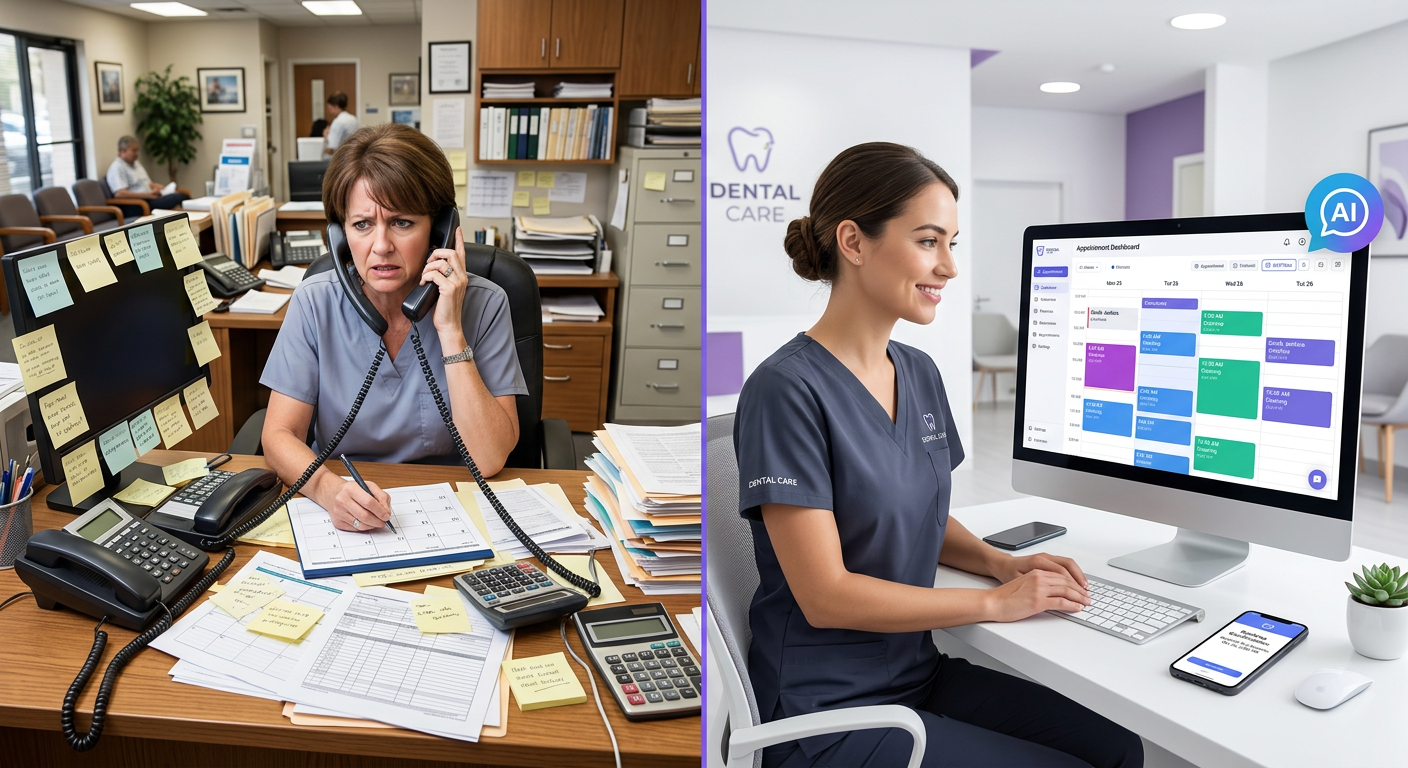
Automated dental appointment scheduling uses AI-powered software to handle the entire appointment lifecycle without staff intervention:
24/7 Phone Booking
AI receptionist answers calls anytime, schedules appointments using natural conversation, and books directly into your PMS.
Online Self-Scheduling
Patients book appointments from your website or patient portal based on real-time availability.
Text-to-Book
Patients text to schedule, reschedule, or cancel. System confirms and updates automatically.
Automated Reminders
Multi-touch reminders via text, email, and voice at 48hr, 24hr, and 2hr before appointments.
Confirmation Requests
Automatic confirmation requests 24 hours before, with waitlist filling if no response.
Waitlist Management
When cancellations occur, system automatically texts waitlist patients to fill the slot instantly.
Why Automate Dental Appointment Scheduling?
1. Reclaim 15-25 Staff Hours Per Week
Current Reality: For every appointment in your schedule, staff spend an average of 20-30 minutes on scheduling-related tasks:
- Initial booking phone call: 5-8 minutes
- Leaving voicemails and callback attempts: 3-5 minutes
- Sending confirmation: 2 minutes
- Sending reminder: 2 minutes
- Follow-up confirmation calls: 3-5 minutes
- Handling rescheduling: 5-7 minutes
With Automation: 70-80% of this work happens automatically. For a practice with 40 appointments daily:
- Manual work: 20 minutes × 40 appointments = 800 minutes/day (13.3 hours)
- Automation handles: 70% × 800 minutes = 560 minutes (9.3 hours saved daily)
- Weekly savings: 46 hours of staff time
- Annual value: $27,000-$36,000 at $15-20/hour
2. Never Miss Another Appointment Request
The After-Hours Problem:
- 40-50% of patient calls happen outside office hours (before 8 AM, after 5 PM, weekends)
- Without automation, these calls go to voicemail
- Only 30-40% of voicemails get returned (patients call competitors instead)
- Lost revenue: $50,000-$100,000 annually from missed after-hours calls
With 24/7 Automation:
- AI answers every call instantly, day or night
- Online booking available 24/7/365
- Patients schedule at their convenience (not yours)
- Capture 90%+ of after-hours booking requests
3. Reduce No-Shows by 30-40%
Automated scheduling systems reduce no-shows through:
- Multi-touch reminders: Text at 48hr, email at 24hr, voice call at 2hr before appointment
- Required confirmations: Patients must confirm 24 hours in advance or slot goes to waitlist
- Easy rescheduling: One-click reschedule reduces “forget to cancel” no-shows
- Waitlist filling: Cancellations are filled automatically within minutes
Impact: No-show rate drops from 15-20% to 8-12%, recovering $100,000-$200,000 in lost revenue annually.
4. Fill Your Schedule 15-25% Fuller
Automated systems optimize schedule density:
- Instant booking: Patients don’t wait hours for callback—they book immediately
- Smart slot filling: AI fills gaps with appropriate appointment types
- Same-day scheduling: System texts waitlist for last-minute openings
- Optimal booking timing: AI schedules based on historical patterns
Result: Practices see 10-15% more appointments booked, worth $80,000-$150,000 annually in additional revenue.
5. Improve Patient Satisfaction
Patients prefer automated scheduling because:
- ✅ Book at their convenience (not during office hours)
- ✅ No waiting on hold or playing phone tag
- ✅ Instant confirmation (no uncertainty)
- ✅ Easy to reschedule via text (one tap)
- ✅ Helpful reminders prevent forgotten appointments
Studies show: 67% of patients prefer online booking to calling. Practices offering 24/7 scheduling see 23% higher patient satisfaction scores.
How to Implement Automated Dental Appointment Scheduling
Choose Your Automation Level
There are three tiers of automation—start with what fits your practice:
Tier 1: Basic Online Booking (Entry Level)
- What it is: Patients self-schedule via your website
- Cost: $50-150/month
- Setup time: 1-2 weeks
- Time saved: 5-8 hours/week
- Best for: Tech-savvy patient base, low call volume practices
Tier 2: Online + Automated Reminders (Recommended)
- What it is: Online booking + automatic text/email reminders + confirmations
- Cost: $150-300/month
- Setup time: 2-3 weeks
- Time saved: 12-18 hours/week
- Best for: Most practices wanting significant automation
Tier 3: Full AI Automation (Maximum Impact)
- What it is: AI phone answering + online booking + reminders + waitlist management + confirmations
- Cost: $300-500/month
- Setup time: 3-4 weeks
- Time saved: 20-30 hours/week
- Best for: High-volume practices, after-hours booking needs, staffing shortages
Integrate with Your Practice Management System
Critical requirement: Your automated scheduling must sync bidirectionally with your PMS in real-time.
What to Verify:
- Real-time availability: System pulls current schedule from PMS (no double-booking)
- Automatic booking: New appointments write back to PMS instantly
- Patient matching: System recognizes existing patients, creates new records for first-timers
- Appointment types: Supports cleanings, exams, crowns, emergency slots, etc.
- Provider scheduling: Books with correct dentist/hygienist based on patient history
Common PMS Integrations:
- Open Dental (API integration)
- Dentrix (G5, Ascend, Enterprise)
- Eaglesoft
- Curve Dental
- Practice-Web
- Cloud9
- Tab32
Setup time: Most integrations take 3-5 days for initial connection, 1-2 weeks for testing and refinement.
Configure Scheduling Rules and Logic
Tell the system HOW you want appointments scheduled (your scheduling philosophy):
Essential Configuration:
- Appointment types & durations:
- Adult cleaning: 60 minutes
- Child cleaning: 45 minutes
- New patient exam: 90 minutes
- Crown prep: 120 minutes
- Emergency slot: 30 minutes
- Booking windows: How far in advance patients can book (e.g., up to 90 days)
- Buffer times: Gaps between appointments for cleanup, emergencies
- Provider preferences: Dr. Smith prefers morning implants, Dr. Jones does crowns on Tuesdays
- Online vs. phone-only slots: Reserve complex procedures for phone booking
- New patient limits: Max 2 new patients per day
Advanced Rules:
- Block certain time slots from online booking (keep for emergencies)
- Different availability for different appointment types
- Require confirmation for high-value appointments
- Auto-decline booking if patient has outstanding balance
- Prevent same-day cancellations and rebooking
Set Up Multi-Channel Booking Options
Give patients multiple ways to schedule:
Channel 1: Website Booking Widget
- Embed scheduling widget on your website
- Mobile-responsive (60% of bookings happen on phones)
- Shows real-time availability
- Appointment type selection
- Provider selection (if multiple dentists)
- Instant confirmation email/text
Channel 2: AI Phone Answering
- AI answers calls 24/7
- Natural conversation: “I’d like to book a cleaning for next Tuesday afternoon”
- Asks clarifying questions if needed
- Books appointment and confirms verbally + text
- Escalates complex situations to staff
Channel 3: Text Messaging
- Patient texts: “Book cleaning next week”
- System responds with 3 available options
- Patient taps preferred time
- Instant confirmation
Channel 4: Patient Portal/App
- Login to patient portal
- View full schedule calendar
- Book, reschedule, or cancel anytime
Implement Automated Reminders & Confirmations
The key to reducing no-shows is strategic reminder timing:
Recommended Reminder Sequence:
For Routine Appointments (cleanings, exams):
- 7 days before: Email reminder with calendar invite
- 48 hours before: Text message reminder with easy reschedule link
- 24 hours before: Text confirmation request: “Reply YES to confirm or CHANGE to reschedule”
- 2 hours before: Final text reminder (day-of only)
For High-Value Procedures ($500+):
- 5 days before: AI phone call with appointment details and instructions
- 3 days before: Text reminder with pre-appointment instructions
- 24 hours before: Required confirmation via text or phone
- Morning of: Text with parking/check-in info
Confirmation Logic:
- If patient confirms: Appointment stays booked
- If no response by 6 PM day before: Mark as “at risk,” text waitlist
- If patient cancels: Immediate text to top 3 waitlist patients
Enable Intelligent Waitlist Management
Turn cancellations into opportunities:
How It Works:
- Cancellation detected: Patient cancels 2 PM appointment via text
- Waitlist activated: System identifies 5 patients on waitlist for that appointment type
- Smart prioritization: Sorts by:
- How long they’ve been waiting
- Appointment urgency (treatment plan ready)
- Historical reliability (low no-show rate)
- Geographic proximity (can arrive quickly)
- Instant notification: Top 3 patients get text: “Opening today at 2 PM for cleaning. Reply YES if you want it.”
- First responder wins: Appointment books automatically to first “YES” reply
- Others notified: “Slot filled. You’re still on waitlist for future openings.”
Impact: Practices using automated waitlist filling recover 60-80% of cancelled slots (vs. 20-30% with manual calling).
Train Your Team & Go Live
Staff needs to understand the system, but not manage it daily:
Training Checklist:
- ✅ How to override AI bookings when necessary
- ✅ How to block time slots temporarily (dentist sick, equipment down)
- ✅ How to manually add patients to waitlist
- ✅ How to view booking analytics and trends
- ✅ What to do when AI escalates a complex situation
- ✅ How to adjust scheduling rules on the fly
Soft Launch Strategy:
- Week 1: Enable online booking for existing patients only (test with people you know)
- Week 2: Open to new patients, monitor booking patterns
- Week 3: Enable AI phone answering during business hours (staff monitors)
- Week 4: Full 24/7 activation (AI handles all after-hours calls)
Automated Scheduling ROI Calculator
Calculate Your Return on Investment
Average dental practice with 40 appointments/day:
Staff Time Saved
(20 hrs/wk × $27/hr)
After-Hours Revenue
(captured vs. lost)
No-Show Reduction
(40% improvement)
Better Schedule Fill
(15% more appointments)
Total Annual Benefit: $313,000
Investment: $3,600-6,000/year (automation software)
ROI: 5,100-8,600%
Common Concerns About Automated Scheduling
| Concern | Reality |
|---|---|
| “Patients won’t use it—they prefer calling” | 67% of patients prefer online booking to calling. Once you offer it, 40-60% of appointments book online within 3 months. Older patients adapt quickly (easier than phone tag). |
| “AI will make mistakes and double-book” | Modern systems sync in real-time with your PMS. Double-booking is virtually impossible. AI accuracy rate is 99.2% vs. 94-96% for manual scheduling (humans make more errors from distraction). |
| “We’ll lose the personal touch” | Automation handles logistics; staff focuses on relationships. When patients call, staff have MORE time for meaningful conversation instead of rushing through scheduling. Personal touch improves. |
| “Setup will be too complicated” | Modern systems are plug-and-play with PMS integration. Average setup: 1-2 weeks. Most providers offer white-glove onboarding with dedicated support. |
| “Patients will book wrong appointment types” | AI asks clarifying questions: “Is this for a cleaning or something else?” Systems learn from corrections. Error rate under 2%, and staff can easily fix during reminder calls. |
Frequently Asked Questions
Automated dental appointment scheduling uses AI and software to handle appointment bookings, confirmations, reminders, and rescheduling without staff intervention. Patients can book appointments 24/7 via phone, web, or text, while the system automatically manages confirmations, sends reminders, fills cancellations from waitlists, and updates your practice management system in real-time.
Automated dental scheduling saves 15-25 staff hours per week on average. For a practice with 40 appointments daily, staff typically spend 20-30 minutes per appointment on scheduling-related tasks (booking, confirming, rescheduling, reminding). Automation handles 70-80% of this work, saving $18,000-30,000 annually in staff time while improving schedule fill rates by 15-25%.
Yes, automated scheduling reduces no-shows by 30-40% through multi-touch reminders (text, email, voice at 48hr, 24hr, and 2hr before appointments), required confirmations 24 hours in advance, and automated waitlist filling when cancellations occur. Practices using automated systems see no-show rates drop from 15-20% to 8-12%.
Yes—67% of patients prefer online booking to calling. Within 3 months of implementation, 40-60% of appointments typically book online. The key is making it visible (prominent on website, texted links, email signatures). Older patients adapt quickly as it’s easier than phone tag and waiting on hold.
Basic online booking: $50-150/month. Online booking + automated reminders: $150-300/month. Full AI automation (phone + online + reminders + waitlist): $300-500/month. ROI typically 500-800% in first year from time savings, reduced no-shows, and better schedule fill rates.
Modern AI systems ask clarifying questions (“Is this for a cleaning or something else?”) and have 98%+ accuracy. Patients can also select appointment type from dropdown in online booking. If an incorrect booking happens (less than 2% of cases), staff can easily correct during confirmation calls or when patient arrives. The system learns from corrections.
Most automated scheduling systems integrate with major dental PMS platforms including Open Dental, Dentrix (all versions), Eaglesoft, Curve Dental, Practice-Web, Cloud9, Tab32, and others. Integration is bidirectional: the system reads real-time availability from your PMS and writes new appointments back instantly to prevent double-booking.
Basic online booking: 1-2 weeks. Full AI automation: 3-4 weeks. Timeline includes PMS integration setup (3-5 days), configuration of scheduling rules (1 week), staff training (2-3 days), and soft launch testing (1 week). Most practices see immediate benefits with 24/7 booking capability starting within the first week.
Start Automating Your Dental Appointments Today
Stop wasting 20+ hours per week on phone tag and manual scheduling. Our AI-powered system handles appointments 24/7, reduces no-shows by 40%, and fills your schedule 15% fuller—all while improving patient satisfaction.
See How It Works – Free DemoWorks with all major PMS systems • Setup in 2 weeks • 30-day money-back guarantee